SecOps Forces
Client
- SecOps Forces
Project type
- Security Posture Platform
What I did
- Product Design
- Design System
- Data Visualisation
- Dashboard Design
Year
- 2024
SecOps Forces gives an organisation without its own security team a single place to see whether it is protected. Email authentication, domain and certificate expiry, assets and vulnerabilities, phishing simulation, staff training and Microsoft 365 baselines all report into one dashboard, and the whole picture is summarised as a small set of scores a non-specialist can act on.
- 01
Security for a mid-sized organisation is spread across half a dozen tools that each answer one narrow question, and none of them answers the only question the business is asking: are we alright.
- 02
The organisations that need this most are the ones least likely to have an analyst. The person opening the dashboard is an IT generalist or an office manager, so anything that assumes a security background is not read at all.
- 03
Phishing is a human problem measured with technical instruments. Delivery logs say what was sent; they do not say who clicked, who replied, or who is actually learning.
- 04
Compliance work is done once for an audit and then goes stale, because nothing keeps watching after the report is signed.
- 01
The answer first, the evidence second: a posture score and a handful of month-on-month counters at the top, with the instruments that produce them one level down rather than the other way round.
- 02
Phishing shown as a funnel of behaviour — delivered, viewed, replied, payload opened, employee compromised — with each step ringed and colour-coded, so the drop-off is legible at a glance instead of read off a table.
- 03
Protection organised by what it watches rather than by which vendor supplies it: email authentication, domain and expiry monitoring, assets, vulnerabilities — each its own page, all feeding the same score.
- 04
Assessments that keep running. Microsoft 365 and baseline controls are checked continuously, so the posture is current rather than accurate as of the last audit.
- 05
Reports written as KPIs a non-specialist can take into a management meeting — machine health, email security, email authentication — rather than as raw findings.
- 06
Onboarding built into the surface: coach marks on first use, and a Get Started entry that stays in the navigation instead of disappearing after day one.
The monthly check
An IT generalist opens the dashboard, reads one awareness score and three counters against last month, and only goes deeper if something moved. Most visits should end here.
Running a phishing campaign
A campaign is scheduled, and its funnel fills in as it runs. The people who opened the payload are identifiable, and training follows from the same screen rather than a separate tool.
Reporting upward
The same data becomes three KPI pages — machine health, email security, email authentication — so the person accountable for security can show where it stands without translating it first.
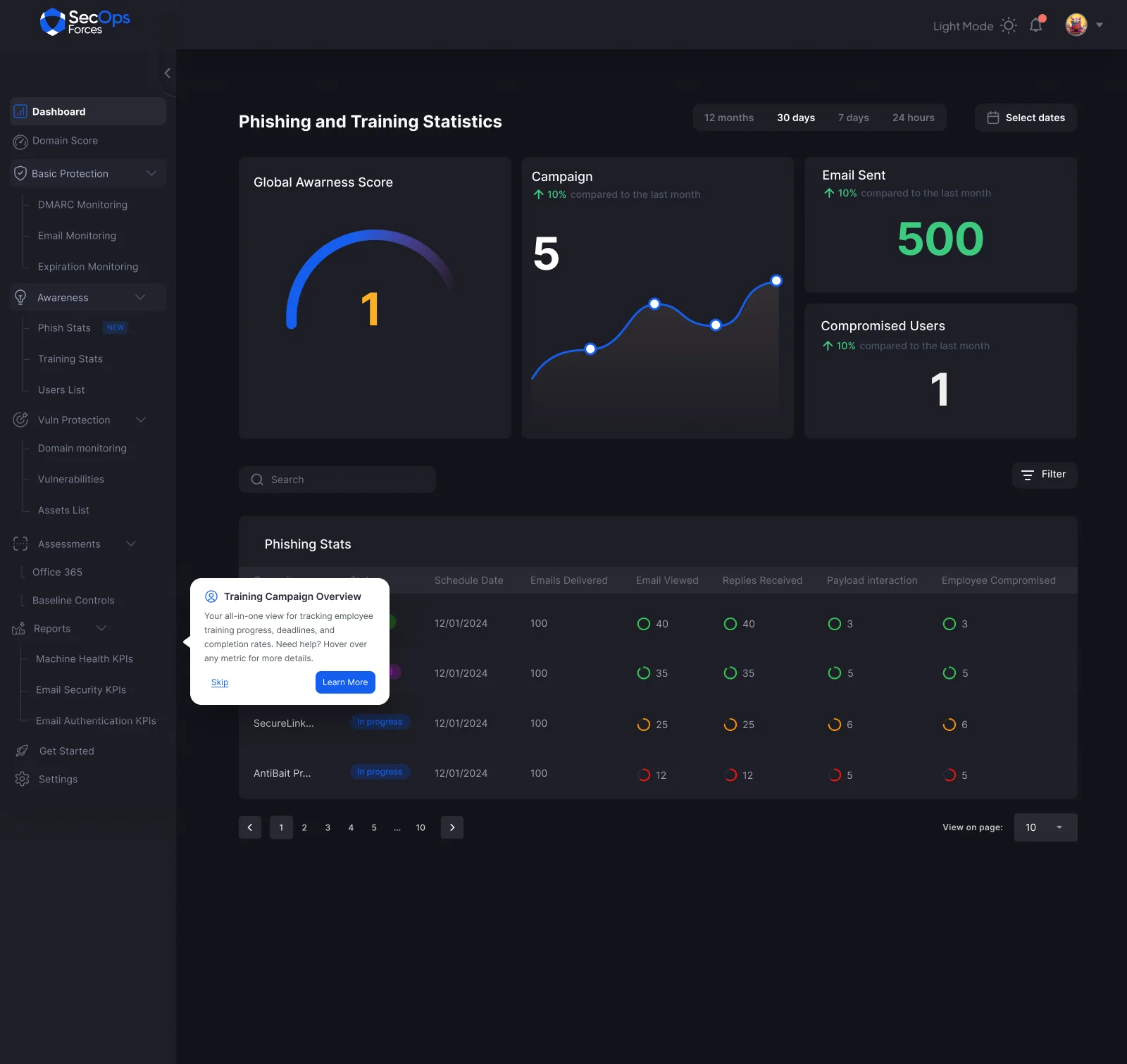
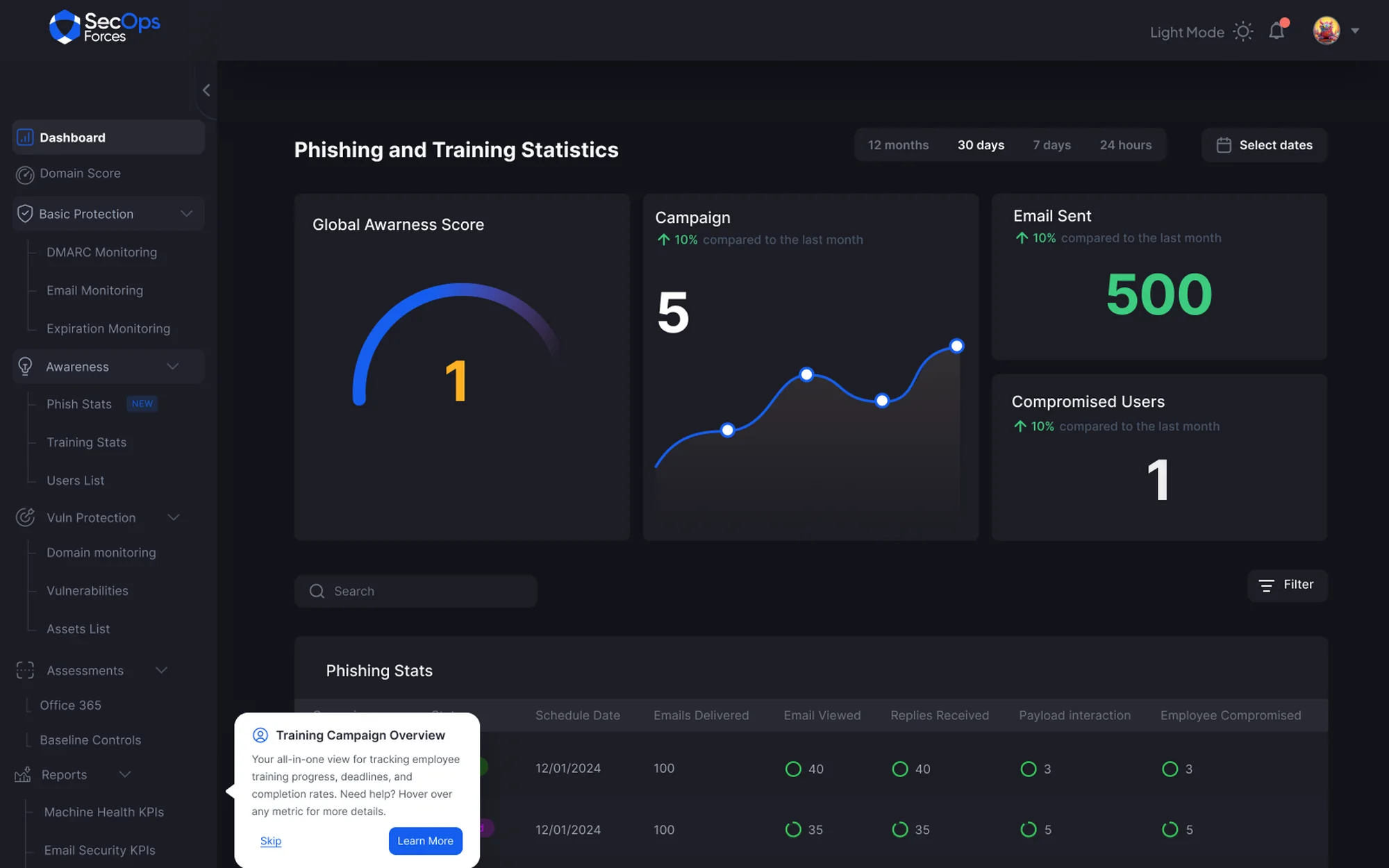
One awareness score and three counters against last month, then the phishing campaigns underneath as a funnel — delivered, viewed, replied, payload opened, employee compromised — each step ringed and coloured so where people fall off is visible without reading a number.
GCB Bank